6 Best Doorbell Cameras for Apartments (October 2026)
The best apartment doorbell cameras include the Ring Battery Doorbell 2K for Alexa households, the Wyze Battery Video Doorbell for doorstep deliveries, and the Blink Battery Doorbell 2K+ for replaceable-battery routines.
On this page (11 sections)
- Which doorbell camera works best in an apartment?
- How we chose apartment doorbell cameras
- How do the apartment doorbell cameras compare?
- Best doorbell cameras for apartments by use
- What should apartment renters check before installation?
- Will your apartment Wi-Fi reach the doorbell?
- Should you choose local storage or a subscription?
- How should you set up alerts in a shared hallway?
- How much care does a battery doorbell need?
- Which apartment doorbell buying mistakes should you avoid?
- How do you choose the right apartment doorbell camera?
The Ring Battery Doorbell 2K is the best doorbell camera for apartments if you want battery power, live conversations and Alexa support. Wyze is a better fit for doorstep deliveries and local storage, while BOIFUN suits buyers who want core features without a required subscription.
Start with your apartment, then choose the camera. An allowed mount, working Wi-Fi and a useful view matter more than a feature you can't use at your door.
For a wider look at options, see our guide to the best video doorbells. To compare rechargeable and replaceable-battery choices beyond apartments, read our best battery video doorbells guide.
Our picks at a glance
-
1

-
2

-
3

- 4
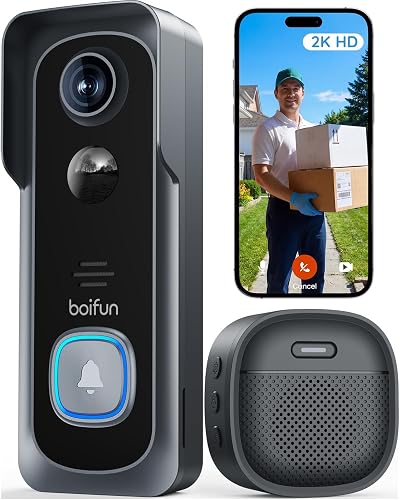 Check it
BOIFUN 2K Video Doorbell, No Subscription
Best for avoiding monthly plans - 5
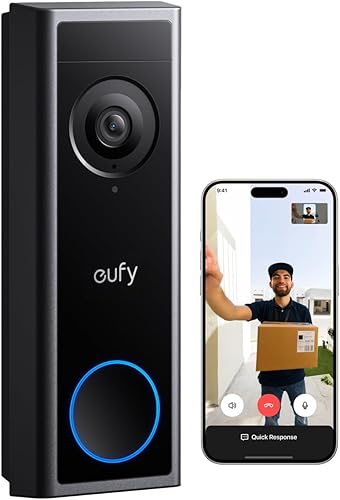 Best for approved wired installationsCheck it
 - 6
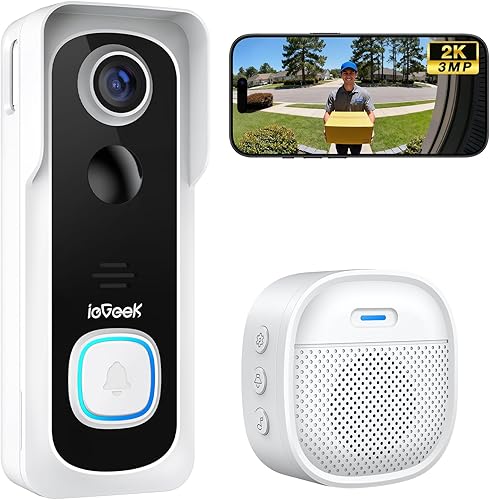 Check it
ieGeek 2K Wireless Doorbell, No Subscription
Best for roommates sharing access
Which doorbell camera works best in an apartment?
Ring is the strongest general choice for live visitor conversations, especially in an Alexa household. The alternatives address specific needs: packages close to the threshold, saved footage without a required plan, replaceable batteries or access for roommates.
A lower-ranked model can be the right purchase when it solves your main constraint. If you need local recordings and won't pay for video history, choose around that requirement before comparing image features.
Ring Battery Doorbell 2K
- Retinal 2K wide-angle video
- Up to 6x Enhanced Zoom
- Built-in rechargeable battery
- Live View and Two-Way Talk
A strong fit for apartments using Alexa devices, with phone-based visitor conversations and motion alerts. Plan for a compatible Ring Protect subscription if saved video matters.
Pros
- Works with select Alexa-enabled devices
- Wide-angle video with Enhanced Zoom
- Battery power avoids doorbell wiring
Cons
- Whole doorbell must be detached for charging
- USB-C cable is not included
- Video history and AI-powered alerts require a subscription
Wyze Battery Video Doorbell
- 1:1 head-to-toe view
- Battery or AC hardwired power
- MicroSD local storage support
- Alexa, Google Assistant and IFTTT compatibility
The square view suits apartments where packages sit close to the door. Choose battery power for simpler installation or approved AC wiring for continuous local recording.
Pros
- Head-to-toe view includes the doorstep
- Local storage option
- Corner plate and USB-C charging cable included
Cons
- MicroSD card is sold separately
- Chime options are sold separately
- 24/7 local recording requires AC wiring
Blink Battery Doorbell 2K+
- Head-to-toe 2K video
- Three AA Energizer lithium batteries included
- Sync Module Core included
- Two-way audio with noise cancellation
Choose Blink if you prefer replacing batteries to recharging a built-in battery. The included Sync Module Core needs indoor power, and the described in-home ring setup uses existing doorbell wiring.
Pros
- Replaceable batteries included
- Sync Module Core included
- Corner mount included
Cons
- Person detection requires a compatible subscription
- Sync Module Core needs indoor power
- Described in-home ring setup requires existing wiring
BOIFUN 2K Video Doorbell, No Subscription
- 2K video with a 166-degree view
- Human detection without a required subscription
- Local MicroSD storage support
- Indoor chime included
A practical choice when alerts, visitor conversations and video playback need to work without a required plan. It uses 2.4 GHz Wi-Fi and a built-in, non-removable rechargeable battery.
Pros
- Core features work without a subscription
- Local storage option
- No-drill setup with adhesive tape included
Cons
- MicroSD card is sold separately
- Does not support 5 GHz Wi-Fi
- Battery is not removable
eufy Video Doorbell C31
- 2K FHD video with a 4:3 view
- Quick-release rechargeable battery
- Local MicroSD storage support
- Continuous recording with suitable wiring and a supported setup
The C31 suits apartments with permission for wiring changes and residents who want continuous recording. Battery use is also available, while hardwiring requires bypassing the existing chime.
Pros
- Quick-release battery
- Local storage without a subscription
- Video calls, quick responses and visitor voice messages
Cons
- Hardwiring requires bypassing the existing chime
- MicroSD card is sold separately
- 24/7 recording is unavailable with HomeBase S280 or MiniBase
ieGeek 2K Wireless Doorbell, No Subscription
- 2K video
- Built-in rechargeable battery
- Local and basic cloud storage options
- Multiple account sharing
Separate shared accounts let roommates receive access without passing around the main login. An indoor chime is included, and basic cloud storage must be enabled in the app.
Pros
- Multiple account sharing
- Indoor chime included
- Adhesive pads and mounting tools included
Cons
- Does not support 5 GHz Wi-Fi or wired installation
- Built-in battery is not removable
- Basic cloud storage needs manual activation
How we chose apartment doorbell cameras
We compared power, mounting, visitor communication and recording requirements against common apartment limits. We also considered included equipment, charging routines and the difference between phone alerts and an audible ring inside.
Battery power was a starting point because it avoids changing doorbell wiring. Local storage and wired recording earned attention where they serve a clear need, but neither replaces permission to install the camera.
How do the apartment doorbell cameras compare?
Compare power and saved-video access first, then look at framing and indoor alerts. Those choices determine how the doorbell fits daily life and whether you need extra equipment or a plan.
The table is a shortlist tool. Read the matching write-up before choosing, especially if you want continuous recording or expect an existing chime to keep working.
| Product | Best for | Power | Video | Storage | Our score |
|---|---|---|---|---|---|
| Ring Battery Doorbell 2K | Alexa households | Built-in rechargeable battery | Retinal 2K | Video history requires compatible Ring Protect subscription | 8.8 |
| Wyze Battery Video Doorbell | doorstep deliveries | Rechargeable battery or AC hardwiring | 1536 x 1536 HD+ | MicroSD up to 256 GB, sold separately | 7.8 |
| Blink Battery Doorbell 2K+ | replaceable-battery routines | Three AA lithium batteries | 2K, head-to-toe view | Check recording plan separately; person detection requires subscription | 7.6 |
| BOIFUN 2K Video Doorbell, No Subscription | avoiding monthly plans | Built-in rechargeable battery | 2K | MicroSD up to 128 GB, sold separately | 7.3 |
| eufy Video Doorbell C31 | approved wired installations | Battery or 16-24V hardwiring; keep battery inserted and bypass existing chime when wired | 2K FHD | MicroSD up to 128 GB, sold separately | 7.0 |
| ieGeek 2K Wireless Doorbell, No Subscription | roommates sharing access | Built-in rechargeable battery | 2K | MicroSD up to 128 GB or free basic cloud storage | 6.8 |
Best doorbell cameras for apartments by use
Choose Ring for an Alexa household, Wyze for deliveries near the door or BOIFUN for subscription-free essentials. Blink, eufy and ieGeek suit more specific routines, explained below.
Each recommendation includes a reason to choose it and a reason to pass. That matters in an apartment, where a power or mounting limit can rule out an otherwise useful camera.
Ring Battery Doorbell 2K
- Retinal 2K wide-angle video
- Up to 6x Enhanced Zoom
- Built-in rechargeable battery
- Live View and Two-Way Talk
A strong fit for apartments using Alexa devices, with phone-based visitor conversations and motion alerts. Plan for a compatible Ring Protect subscription if saved video matters.
Pros
- Works with select Alexa-enabled devices
- Wide-angle video with Enhanced Zoom
- Battery power avoids doorbell wiring
Cons
- Whole doorbell must be detached for charging
- USB-C cable is not included
- Video history and AI-powered alerts require a subscription
Ring suits residents who want to answer visitors from their phone and already use Alexa. Select Echo devices can announce activity or show video, which helps when your phone is charging in another room.
Its wide-angle video and zoom let you inspect the scene or look more closely at a detail. Camera placement still comes first: zoom can't reveal a package hidden below the frame or around a corner.
Choose Ring if live access is your main goal and you're comfortable paying for saved history if needed. Skip it if local, subscription-free recordings are a firm requirement.
Charging is the main routine to plan around. You detach the whole doorbell with the included removal tool, then recharge over USB-C with a cable you supply.
Keep the tool somewhere you can find it and choose a mount you can reach without moving heavy furniture. The camera won't cover the entrance while it's detached for charging.
For a closer look at how power affects upkeep, read our wired versus battery doorbell guide.
Wyze Battery Video Doorbell
- 1:1 head-to-toe view
- Battery or AC hardwired power
- MicroSD local storage support
- Alexa, Google Assistant and IFTTT compatibility
The square view suits apartments where packages sit close to the door. Choose battery power for simpler installation or approved AC wiring for continuous local recording.
Pros
- Head-to-toe view includes the doorstep
- Local storage option
- Corner plate and USB-C charging cable included
Cons
- MicroSD card is sold separately
- Chime options are sold separately
- 24/7 local recording requires AC wiring
Wyze is the pick for residents whose deliveries land right against the door. Its square head-to-toe view and 150-by-150-degree field of view suit a scene where both a visitor's face and the floor matter.
The included corner plate helps aim the camera when the available mounting surface sits beside the doorway. Before fixing it in place, check whether the doorframe blocks the lower view or the camera points too far along the hallway.
Choose it for local storage and a choice of battery or AC power. Skip it if you expect an indoor chime in the box, since its chime options are sold separately.
The storage choice needs a little planning. It accepts a separate MicroSD card up to 256 GB in FAT32 or exFAT format, while Cam Plus provides an optional cloud route.
Continuous local recording requires AC wiring as well as the card. Don't buy it expecting the battery setup to record the hallway all day.
For a small apartment where phone alerts are enough, you may not need another chime device. Decide that before adding accessories.
Blink Battery Doorbell 2K+
- Head-to-toe 2K video
- Three AA Energizer lithium batteries included
- Sync Module Core included
- Two-way audio with noise cancellation
Choose Blink if you prefer replacing batteries to recharging a built-in battery. The included Sync Module Core needs indoor power, and the described in-home ring setup uses existing doorbell wiring.
Pros
- Replaceable batteries included
- Sync Module Core included
- Corner mount included
Cons
- Person detection requires a compatible subscription
- Sync Module Core needs indoor power
- Described in-home ring setup requires existing wiring
Blink suits residents who prefer replacing batteries to setting aside time for recharging. It uses 3 AA Energizer lithium batteries, included with this system, so keep the correct replacements available.
The head-to-toe view covers visitors and deliveries, while two-way audio includes noise cancellation. A corner mount is included for entrances where a straight-ahead view misses the approach.
Its Sync Module Core needs indoor power through the included adapter. Allow a suitable outlet location rather than assuming every part of a wireless doorbell operates on batteries.
Choose Blink if that maintenance routine fits your household. Skip it if subscription-free person detection is essential, since that feature requires a compatible Blink subscription.
Also separate app alerts from an audible ring inside. Blink describes connecting to existing doorbell wiring for its in-home ring setup; a wire-free installation sends doorbell-press alerts through the app.
That distinction matters if you often silence your phone or leave it in another room. Settle how you'll hear visitors before you mount the camera.
BOIFUN 2K Video Doorbell, No Subscription
- 2K video with a 166-degree view
- Human detection without a required subscription
- Local MicroSD storage support
- Indoor chime included
A practical choice when alerts, visitor conversations and video playback need to work without a required plan. It uses 2.4 GHz Wi-Fi and a built-in, non-removable rechargeable battery.
Pros
- Core features work without a subscription
- Local storage option
- No-drill setup with adhesive tape included
Cons
- MicroSD card is sold separately
- Does not support 5 GHz Wi-Fi
- Battery is not removable
BOIFUN suits buyers who want human detection, alerts, two-way audio and video playback without a required plan. Optional paid services are available, but the core functions don't depend on them.
It supports a separate MicroSD card up to 128 GB for local footage. An indoor chime is included, making it worth considering if phone-only alerts won't suit your household.
Its 166-degree view can cover a broad entrance, but that width needs care in a shared hallway. Aim for your threshold and delivery area rather than collecting the widest possible scene.
BOIFUN includes adhesive tape for a no-drill setup and has a tamper-detection alarm. Neither replaces checking surface suitability, mounting instructions and building permission.
Choose it for subscription-free essentials. Skip it if you only have access to a 5 GHz network, since this model requires 2.4 GHz Wi-Fi.
The built-in battery is non-removable, so charging requires access to the camera. BOIFUN's up-to-60-day estimate uses defined lab conditions; frequent hallway activity and Live View use can shorten the interval.
eufy Video Doorbell C31
- 2K FHD video with a 4:3 view
- Quick-release rechargeable battery
- Local MicroSD storage support
- Continuous recording with suitable wiring and a supported setup
The C31 suits apartments with permission for wiring changes and residents who want continuous recording. Battery use is also available, while hardwiring requires bypassing the existing chime.
Pros
- Quick-release battery
- Local storage without a subscription
- Video calls, quick responses and visitor voice messages
Cons
- Hardwiring requires bypassing the existing chime
- MicroSD card is sold separately
- 24/7 recording is unavailable with HomeBase S280 or MiniBase
The eufy C31 suits apartments where management permits wiring changes and continuous recording is a priority. For a simpler setup, its quick-release rechargeable battery offers another power route.
Local storage uses a separate MicroSD card up to 128 GB without a subscription. When someone rings, a pop-up video call appears on your phone; quick responses and visitor voice messages help when you can't speak.
Choose it if you have a clear plan for power and recording. Skip it if you need continuous footage but cannot alter the existing doorbell circuit.
For 24/7 recording and 5-second pre-roll, it needs a 16-24V transformer, the battery inserted and the existing chime bypassed. Use Solo mode or HomeBase S380 for continuous recording; HomeBase S280 and MiniBase don't support that function.
Hardwiring therefore changes more than battery upkeep. Plan an allowed way to hear visitors after bypassing the existing chime.
Turn off power at the circuit breaker before wiring work, replacing the battery or installing a memory card in a hardwired setup. Have a qualified installer handle work beyond your skills.
ieGeek 2K Wireless Doorbell, No Subscription
- 2K video
- Built-in rechargeable battery
- Local and basic cloud storage options
- Multiple account sharing
Separate shared accounts let roommates receive access without passing around the main login. An indoor chime is included, and basic cloud storage must be enabled in the app.
Pros
- Multiple account sharing
- Indoor chime included
- Adhesive pads and mounting tools included
Cons
- Does not support 5 GHz Wi-Fi or wired installation
- Built-in battery is not removable
- Basic cloud storage needs manual activation
ieGeek suits roommates who want separate accounts for shared access. Accounts must be registered in the same region, and the main account can add management accounts through the app's device-sharing controls.
Use that sharing system rather than passing around the main password. Agree who manages settings and remove access when someone moves out.
The included indoor chime helps when nobody is watching their phone. It has its own battery upkeep, so include it when checking that visitor alerts still reach the household.
Storage includes a separate MicroSD card up to 128 GB and free basic cloud storage. Enable basic cloud storage in the app rather than assuming it starts automatically.
Choose ieGeek for shared access and an included chime. Skip it if you want wired power later: this model is battery-only and requires 2.4 GHz Wi-Fi.
Its battery is built in and non-removable, so allow for charging access. Use the supplied release tools and follow the bracket instructions rather than forcing the camera away from its mount.
What should apartment renters check before installation?
Confirm permission, mounting clearance and the camera's direction before ordering. A battery model avoids a wired power connection, but the attachment method and shared-hallway view still need approval under your building's rules.
Ask management a specific question: can you place this camera at this spot using this mounting method? If approval comes by email, keep it with the model's installation instructions.
Choosing the best apartment doorbell camera mount
The best apartment doorbell camera is one you can attach securely and remove as required. Measure the usable surface, including trim, nearby walls and the space swept by the opening door.
Don't assume a separate clamp or bracket fits every camera or door. Check its stated compatibility, door clearance and whether it interferes with locks, seals or emergency access.
Adhesive mounting also needs a suitable surface and the preparation described in the instructions. Dust, loose paint and rough finishes can make attachment unreliable, and removal may affect the finish.
Keep the camera clear of door numbers, peepholes and handles. A good position leaves room to release it for charging without pulling on the bracket.
Frame your threshold, not the whole hallway
Aim for visitor faces and the real package drop spot while keeping neighboring doorways out of view where possible. A wide field of view helps coverage, but more hallway footage isn't always more useful.
Check the frame with your door open and closed. Avoid a position that looks directly into your apartment whenever you answer a visitor.
Ask someone to stand where a caller would wait and place an empty box where deliveries usually land. Adjust the angle before making the mount permanent.
Will your apartment Wi-Fi reach the doorbell?
You need a reliable connection at the installed position, not just good service near the router. A hallway wall, metal door or deep doorframe can change the connection outside the apartment.
Start setup near the router if the instructions call for it, then check Live View and a short conversation at the intended mounting spot. A successful indoor connection doesn't settle how well it works outside.
BOIFUN and ieGeek require a 2.4 GHz network. For any model, confirm its network requirements before buying, especially if your building controls the Wi-Fi.
A shared network may also limit access to router settings. Ask the network manager whether personal camera devices can connect rather than buying extra equipment on a guess.
If video stalls or audio arrives late, check connection quality before changing motion settings. Our guide to whether video doorbells need Wi-Fi explains the network side in more detail.
Should you choose local storage or a subscription?
Choose local storage when saving footage without a required monthly plan is a priority. Choose a paid history plan only if its supported features fit how you expect to find and review events.
Treat live viewing, event recording and continuous recording as separate needs. Seeing a visitor now doesn't mean you'll have footage to open tomorrow.
A card slot also doesn't guarantee all-day recording on battery power. Wyze and eufy have specific wired-power requirements for continuous footage, as described above.
Local storage needs a compatible card, correct setup and a way to retrieve clips. Save an important event promptly rather than assuming it will remain available indefinitely.
For cloud storage, check the plan's retention period and what happens if you stop paying. Free basic cloud storage should not be treated as an unlimited archive.
Ring's live features and saved history have different requirements. Read our guide to Ring doorbells without a subscription before choosing it for recordings you need to revisit.
How should you set up alerts in a shared hallway?
Start with your doorway and its approach, then reduce alerts caused by unrelated traffic. A busy hallway needs different settings from a private porch.
Where controls are available, narrow the detection area and adjust sensitivity gradually. Keep enough coverage to catch someone approaching your door rather than changing several settings at once.
Person detection can still notify you about neighbors walking past. It distinguishes a type of activity; it doesn't know which person intends to visit you.
Keep doorbell-press notifications useful even if you reduce motion alerts. The goal is to hear an actual caller without teaching yourself to ignore the app.
Check phone notification permissions, sound settings and any focus modes. If another resident handles deliveries, confirm their account receives the alerts they need.
Use a short neutral response when you can't answer, such as asking a visitor to wait. Avoid announcing that the apartment is empty or sharing access codes through the doorbell.
How much care does a battery doorbell need?
Plan for charging, lens cleaning and occasional alert checks. A battery camera is easier to place than a wired one, but it still needs a routine.
Check charge levels more often during the first few weeks. Your hallway's activity, viewing habits and settings will give you a better charging schedule than a maximum battery-life claim.
Clean the lens gently with a soft cloth and follow the care instructions. Fingerprints, dust and nearby reflective surfaces can reduce a useful image even when the camera is working.
Look at the view after dark as well as during daylight. A bright hallway light beside the lens or a close reflective doorframe can change what you see.
Keep release pins and charging cables in one labeled place. Check the indoor chime separately, since a working camera doesn't prove its sounder is powered or paired.
For a fuller setup sequence, use our video doorbell installation guide.
Which apartment doorbell buying mistakes should you avoid?
Avoid buying for one headline feature before checking the full setup. The most costly mistake is choosing a camera that can't provide your required view, recording mode or indoor alert in your apartment.
- Confusing wireless with no maintenance: battery models still need charging or replacement cells, and some include indoor powered equipment.
- Assuming no-drill means permission-free: adhesive mounts and shared-space cameras can still fall under building rules.
- Choosing video resolution before framing: a clear face view won't help you see a package hidden below the camera.
- Forgetting indoor sound: phone notifications may be easy to miss when your phone is silent.
- Assuming a card means continuous footage: recording mode can depend on power and the connected system.
- Sharing the main login: separate supported accounts make roommate changes easier to manage.
Before ordering accessories, write down the complete setup: camera, allowed mount, power, storage and indoor alert. That short list exposes gaps that a camera's feature list can hide.
How do you choose the right apartment doorbell camera?
The best doorbell camera for apartments is the one that meets your hardest constraint first. Start with permission and connectivity, then choose the recording and maintenance routine you want.
Pick Ring for an Alexa household focused on live visitor conversations. Choose Wyze when doorstep packages and local storage matter most, or BOIFUN when subscription-free core features are the priority.
Choose Blink if you prefer replaceable batteries, eufy C31 if approved wiring makes continuous recording practical, or ieGeek if roommates need separate shared accounts and an included chime.
Before buying, confirm exactly how you'll mount it, hear a visitor and retrieve a saved event. Use our battery video doorbell guide if the remaining choice is how much charging or battery upkeep you want.
Our top 3 picks at a glance
-
1
-
2
-
3
Frequently asked questions
Can you install a video doorbell in an apartment?
You can install one if your lease and building rules allow the camera, its mounting method and its viewing direction. Battery power avoids a wiring connection but does not grant permission to attach anything; ask management about shared hallways and acceptable mounting locations before choosing a model.
Do apartment doorbell cameras need existing wiring?
No, all 6 models here offer battery operation, so you can use them without existing doorbell wiring; continuous recording on Wyze and eufy requires suitable wired power. Check indoor equipment too: Blink includes a Sync Module Core with a power adapter, which needs a suitable indoor outlet.
Can a video doorbell record without a subscription?
Yes, Wyze, BOIFUN, eufy and ieGeek support local storage with a separate memory card; recording modes and power requirements differ, so subscription-free storage does not automatically mean continuous recording. Ring requires a compatible Ring Protect subscription for video history; decide how you need to retrieve footage before choosing.
What should you check before buying an apartment doorbell camera?
Check permission, mounting space, Wi-Fi at the door, charging access, indoor alerts and saved-video requirements. Measure the usable surface with the door open and closed; then choose a camera whose view covers visitors and your actual delivery spot without unnecessarily pointing into a neighbor's apartment.


