6 Best Video Doorbells With No Subscription (October 2026)
The best video doorbells without a subscription include the eufy Video Doorbell E340 for busy delivery porches, the Wyze Battery Video Doorbell for wired recording households, and the BOIFUN 2K Video Doorbell for simple wireless entrances.
On this page (6 sections)
- Which is the best video doorbell with no subscription?
- What recording do you need without a monthly plan?
- How do power, Wi-Fi and chimes change the choice?
- How should you set up a subscription-free doorbell?
- What mistakes make no-subscription doorbells less useful?
- Which no-subscription doorbell should you buy for your home?
The eufy Video Doorbell E340 is the best video doorbell with no subscription for most homes because its built-in storage and separate doorstep camera make it a practical fit for visitors and deliveries. Wyze is a better match for card-based continuous recording, while BOIFUN suits a simple wireless entrance.
Choose around the footage you need to keep, then work backward to power, storage and installation. Avoiding a monthly plan only helps if you can save and find the clips that matter.
Our picks at a glance
-
1

-
2

-
3
 Best for simple wireless entrances
BOIFUN 2K Video Doorbell, No Subscription
7.3/10 our score
See it on Amazon
- 4
 Best for reviewing full timelinesCheck it
 - 5
 Check it
ieGeek 2K Wireless Doorbell, No Subscription
Best for phone-free indoor alerts - 6
 Best for sunny front entrancesCheck it
Which is the best video doorbell with no subscription?
The E340 is the strongest overall choice, but a home that needs a continuous timeline should focus on Wyze or C31. BOIFUN, ieGeek and BOTSLAB serve more specific needs, including basic wireless use, indoor alerts and solar-assisted charging.
We compared local recording, power requirements, included equipment and which features remain useful without a paid plan. A higher score reflects a closer fit for this search; your wiring or mounting location can still make a lower-ranked option the better choice.
If you're comparing subscription-free models with the wider category, start with our best video doorbells for your front door.
| Product | Best for | Storage | Power | Wi-Fi | Our score |
|---|---|---|---|---|---|
| eufy Video Doorbell E340 | busy delivery porches | 8GB built in | Battery or 16–24V wired | 2.4 GHz | 8.6 |
| Wyze Battery Video Doorbell | wired recording households | MicroSD up to 256GB, sold separately | Battery or AC hardwiring | Wi-Fi | 7.8 |
| BOIFUN 2K Video Doorbell, No Subscription | simple wireless entrances | MicroSD up to 128GB, sold separately | Built-in rechargeable battery | 2.4 GHz only | 7.3 |
| eufy Video Doorbell C31 | reviewing full timelines | MicroSD up to 128GB, sold separately | Battery or 16–24V wired | 2.4 GHz | 7.0 |
| ieGeek 2K Wireless Doorbell, No Subscription | phone-free indoor alerts | MicroSD up to 128GB, sold separately | Built-in rechargeable battery | 2.4 GHz only | 6.8 |
| BOTSLAB Solar Doorbell Camera | sunny front entrances | SD card supported, sold separately | Battery powered with solar panel | 2.4 GHz | 6.6 |
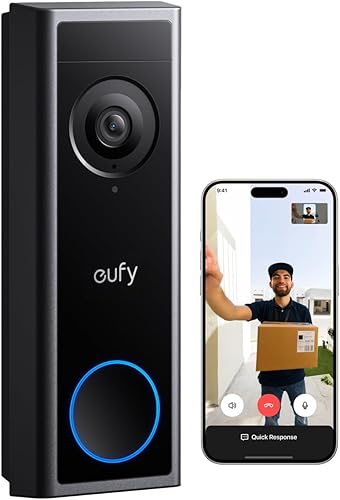
eufy Video Doorbell E340
- 8GB built-in local storage
- Dual cameras
- 2K video
- Battery or wired power
Built-in storage avoids a separate memory card, while the downward camera helps you see packages near the door. Choose battery power for simpler placement or compatible wiring for regular power.
Pros
- No separate card needed
- Separate visitor and doorstep views
- Quick-release rechargeable battery
Cons
- Works only with 2.4 GHz Wi-Fi
- Not compatible with Apple HomeKit
Choose the E340 if deliveries are a daily concern and you want storage ready without adding a card. Its front camera covers visitors, while the downward camera focuses on packages close to the door.
That separate view matters when a parcel sits below the area a front-facing camera shows. Before mounting, check both views with a package in your usual delivery spot rather than judging the angle from a standing visitor alone.
The E340 includes 8GB of local memory, 2K video and color night vision. Its quick-release rechargeable battery also gives you a way to recharge without handling a unit with a permanently enclosed battery.
Compatible wiring is another power option, but decide whether you need pre-recording before planning the installation. That feature requires a 16–24V, 30VA transformer and bypassing the existing chime.
For ordinary chime use, the E340 supports existing mechanical chimes and compatible eufy devices. Alexa and Google Assistant support offer other ways to fit it into a household setup, but Apple HomeKit isn't supported.
Skip it if removable card storage is your priority or you need a HomeKit doorbell. It's also unnecessary to choose dual cameras if your main goal is a continuous recording timeline rather than doorstep coverage.
Wyze Battery Video Doorbell
- 1536 x 1536 video
- MicroSD support up to 256GB
- Battery or AC hardwiring
- 1:1 head-to-toe view
Wyze suits homes that want card-based continuous recording and can provide AC wiring. Battery operation offers more placement freedom, but it doesn't enable the same 24/7 recording mode.
Pros
- Supports higher-capacity microSD cards
- Wire-free or wired setup
- Square head-to-toe view
Cons
- MicroSD card sold separately
- 24/7 local recording requires AC wiring
- Chime accessories sold separately
Choose Wyze if you want continuous local recording from a wired installation and prefer to choose your own storage card. It supports microSD cards up to 256GB, with the card bought separately.
Its square 1:1 view covers visitors from head to toe and helps show packages close to the entrance. The included corner plate gives you another mounting angle when the door frame points the camera away from the approach.
The important choice is power: AC hardwiring enables 24/7 local recording with a card. Battery operation gives you placement freedom, but it doesn't provide that continuous mode.
Buy a card in a supported format, FAT32 or exFAT, and confirm the app shows it as ready before relying on saved footage. A card sitting in the slot isn't enough if the camera hasn't recognized it.
Plan indoor alerts too. Wyze chime options include its Chime Controller, Universal Wi-Fi Chime or a Wyze Cam, all sold separately.
Skip Wyze if you expect battery power to deliver an unbroken recording history. For homes where charging access matters more than continuous footage, compare our best battery video doorbells.
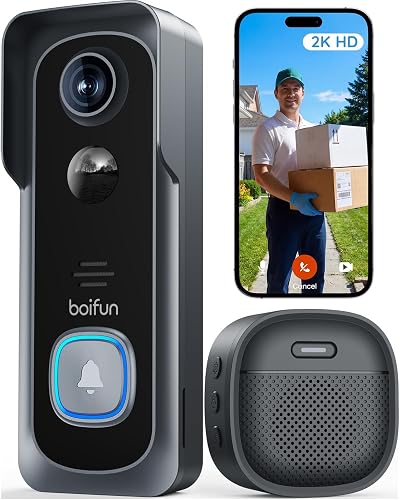
BOIFUN 2K Video Doorbell, No Subscription
- 2K video
- MicroSD support up to 128GB
- 166-degree field of view
- Indoor chime included
BOIFUN keeps live view, human detection, alerts, two-way audio and playback available without a subscription. It includes an indoor chime, but you need a separate card for local storage.
Pros
- Core functions work without a subscription
- Indoor chime included
- No-drill installation option
Cons
- MicroSD card sold separately
- Built-in battery is non-removable
- Advanced cloud and AI services can require a plan
Choose BOIFUN for basic wireless door monitoring without paying for core functions. Live view, human detection, motion alerts, two-way audio and playback remain available without a subscription.
It includes an indoor chime and offers a no-drill mounting option, which helps when you want an audible doorbell without planning a wired installation. Add a microSD card up to 128GB for local storage.
The 166-degree view can cover a broad entrance, but placement still matters. Aim it toward your approach and doorstep rather than giving most of the frame to passing traffic.
Its built-in rechargeable battery can't be removed separately. Plan how you'll reach and charge the doorbell, especially if the mounting spot is awkward or you don't have another way to watch the entrance during charging.
BOIFUN records on motion or a button press, so skip it if you need a continuous timeline. Optional cloud storage and enhanced AI event classification are separate reasons to consider a plan, rather than requirements for its basic doorbell functions.
If you're weighing this approach against Ring, our guide to using a Ring doorbell without a subscription explains the difference in plan choices.
eufy Video Doorbell C31
- 2K video
- MicroSD support up to 128GB
- Battery or wired power
- Wired 24/7 recording in Solo mode or with HomeBase 3
The C31 suits homes that want continuous local recording and can bypass their existing chime. Use Solo mode or HomeBase 3 for that recording setup; HomeBase 2 and MiniBase don't support it.
Pros
- Local microSD storage
- Battery or wired power
- Wired continuous recording and 5-second pre-roll
Cons
- MicroSD card sold separately
- Existing chime must be bypassed when hardwired
- Continuous recording depends on the connected setup
Choose the C31 if you want local continuous recording and pre-roll and can make the required wiring changes. Its 5-second pre-roll adds context before motion-triggered events when the doorbell has suitable wired power.
Local storage uses a separately purchased microSD card up to 128GB. HomeBase 3 is another supported route for expandable storage and the wired continuous-recording setup.
Configuration matters here: 24/7 recording works in Solo mode or with HomeBase 3, but not with HomeBase 2 or MiniBase. Don't buy a chime or base first and assume every combination provides the same recording features.
Hardwiring requires a 16–24V transformer and bypassing the existing chime. The battery must stay inserted, so wired operation doesn't mean removing it from the device.
The C31 also offers pop-up phone video calls when someone rings, plus quick responses and visitor voice messages. Those functions suit households that want to answer the door remotely as well as review footage later.
Skip it if keeping your current wired chime is essential. Our video doorbell installation guide can help you plan the mounting and power steps before choosing a model.
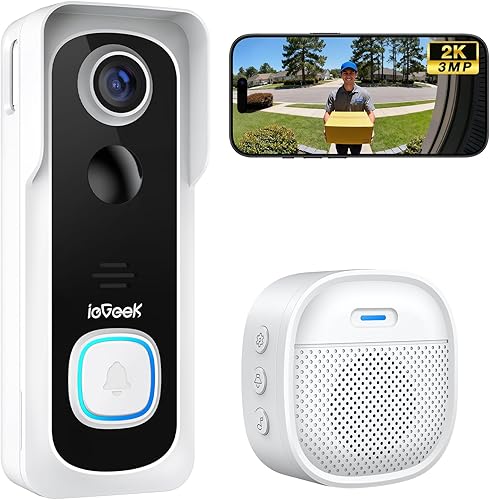
ieGeek 2K Wireless Doorbell, No Subscription
- 2K video
- MicroSD support up to 128GB
- Free basic cloud storage
- Indoor chime included
An included indoor chime lets you hear visitors without keeping your phone nearby. Free basic cloud storage and optional local card storage give you two ways to keep event footage.
Pros
- Indoor chime included
- Free basic cloud storage
- Household account sharing
Cons
- MicroSD card sold separately
- No wired installation option
- Built-in battery is non-removable
Choose ieGeek if you want an included indoor chime and free basic cloud storage alongside optional local recording. It's useful for households where people don't always carry a phone from room to room.
The chime provides an audible alert indoors, while household account sharing lets more than one person manage the doorbell. Set up each person's access so the household doesn't depend on a single phone.
For local clips, add a memory card up to 128GB. Free basic cloud storage is a separate option that you enable in the app under Cloud Storage Service, then Basic Cloud Storage.
That basic service shouldn't be treated as an unlimited cloud archive. Check what footage is available and save any important event while you can still access it.
This is a battery-only choice with a built-in, non-removable rechargeable battery. Skip it if you want wired power or need to avoid taking the doorbell out of service for charging.
Its indoor chime also needs battery care, so include it in your maintenance routine. If you're comparing other brands' storage approaches, see Ring vs Blink video doorbells.
BOTSLAB Solar Doorbell Camera
- Solar panel included
- 2K video
- Local SD card storage
- Base station included
BOTSLAB suits entrances with a practical sunny mounting spot for its included solar panel. Local SD storage avoids relying on its limited cloud trial, while premium services have a paid option.
Pros
- Solar panel included
- Base station included
- Head-to-toe camera view
Cons
- SD card sold separately
- Cloud trial is limited to 1 month
- Solar charging depends on panel placement and sunlight
Choose BOTSLAB if your entrance has a practical sunny spot for the included solar panel. Solar charging can reduce charging chores, but the panel needs suitable exposure rather than simply being attached near the door.
Check the route between the camera and panel before choosing either mounting position. A shaded porch can provide a useful camera angle while leaving the panel poorly placed to gather sunlight.
The package includes a base station, and local recording uses a separately purchased SD card. Its 2K camera has a 180-degree diagonal view for covering visitors and the doorstep together.
BOTSLAB includes a 1-month trial of 7-day cloud storage, with a paid plan for premium features and expanded cloud storage. Make the local setup your starting point, then decide whether any paid services add something you need.
Don't choose it solely for intelligent search or detailed notifications without confirming whether those functions require a plan. Local recording support doesn't establish that every smart feature stays free.
Skip BOTSLAB for a deeply shaded entrance if reducing charging is your main reason to buy. For a closer look at the storage choice, read our guide to video doorbells with local storage.
What recording do you need without a monthly plan?
Choose event clips for doorstep activity or continuous recording for a full timeline. This decision affects power needs, storage use and how much footage you'll have to review.
Which no-subscription video doorbell recording mode fits your home?
Event recording suits people who want to review visitors, doorbell presses or motion near the entrance. It creates less footage to sort through, but it depends on the camera recognizing an event and starting a clip.
Continuous recording is useful when you want to look back between alerts. For example, you may want to see when an object appeared near the door even if you didn't receive a useful motion notification.
Neither mode guarantees a clear view of everything. A poor camera angle, blocked lens or person standing outside the frame can leave gaps that extra recording time won't solve.
Pre-roll serves another purpose: it adds footage from before an event trigger. It helps explain an approach, but it isn't the same as keeping an entire day's timeline.
How much local storage is enough?
Buy storage for your recording mode and activity level, rather than choosing by capacity alone. A busy entrance with long clips uses space differently from a quiet porch that records a few short events.
There isn't one reliable number of days that applies across these doorbells. Video settings, clip length, motion frequency and continuous recording all affect how quickly storage fills.
Check the overwrite setting after installation. If older footage is replaced automatically, export an important clip promptly instead of assuming it will still be there next week.
Built-in memory reduces setup steps; removable cards give you a separate storage part to choose and replace. For frequent recording, use a compatible card intended for repeated video writing.
Is local storage the same as free cloud storage?
Local storage keeps footage on hardware, while cloud storage keeps a copy through an online service. Free cloud access can have limits on clip length, history or features, even when it doesn't require a monthly payment.
Local storage avoids relying entirely on cloud history, but footage stored in a doorbell may be at risk if the device is removed or damaged. Consider both where recordings live and how you'll save a separate copy.
Remote access can still depend on the brand's app and online services. Our guide to Blink doorbell subscriptions gives another example of why storage and plan features need separate checks.
How do power, Wi-Fi and chimes change the choice?
Choose power and connectivity before camera extras, because those basics determine whether the doorbell works where you need it. A sharper image won't help if alerts arrive late or the device is difficult to keep charged.
Battery power means planning for charging
Battery operation suits entrances without usable doorbell wiring and gives you more freedom to position the camera. It also creates a recurring task, so choose a mounting spot you can reach safely.
Frequent motion triggers, long live-view sessions and busy approaches can increase power use. Start with a sensible detection area instead of covering every passing vehicle or pedestrian.
A quick-release battery is easier to handle separately than an enclosed battery. With a built-in battery, plan for the whole doorbell to be unavailable while it is removed for charging.
Wired power requires a complete compatibility check
Existing wires don't prove that your transformer, chime and chosen recording mode work together. Check the doorbell's voltage requirements and installation instructions before disconnecting the old button.
Turn off the relevant circuit before handling wiring. If you can't identify the transformer or confirm the required work, have an electrician assess the setup.
Decide how you'll hear visitors indoors if the installation bypasses the current chime. A phone alert may work for one person but leave other household members unaware that someone is waiting.
Wi-Fi must reach the actual mounting spot
Check connectivity at the door, with the door closed, before permanently fixing the bracket. Walls, metal doors and the distance from the router can weaken a connection that seems fine elsewhere indoors.
E340, BOIFUN, C31, ieGeek and BOTSLAB specify 2.4 GHz Wi-Fi. A router offering both bands can still be suitable, but the camera must join the band it supports.
After pairing, check live view, an incoming alert and a short two-way conversation from the intended position. Our guide to whether video doorbells need Wi-Fi explains why local storage doesn't remove every connection requirement.
How should you set up a subscription-free doorbell?
Set up storage, viewing angle and alerts before relying on the camera. Connecting it to the app is only the first step toward a useful front-door system.
- Prepare power and storage. Fully charge a battery model, install any required card and follow the device's instructions for formatting it.
- Check the view temporarily. Have someone stand at the door and place a parcel where deliveries usually land.
- Check recorded playback. Trigger an event, open the saved clip and confirm you can find it again without using a paid trial feature.
- Adjust the detection area. Keep the approach and doorstep covered while reducing attention to unrelated traffic.
- Set up household alerts. Check the indoor chime, phone permissions and shared access for anyone who answers visitors.
- Save a sample clip. Learn the export process before you need to preserve an important event.
Look at the view after dark as well as during daylight. Nearby walls, glass and reflective objects can affect night images, so a small angle change may be more useful than changing recording settings.
If a cloud trial activates during setup, note when it ends and review the account's subscription controls. Make sure the local recording path is working before deciding whether to keep any paid service.
Use a unique account password and enable two-factor authentication if available. Give household members their own shared access where supported, and remove access when it is no longer needed.
What mistakes make no-subscription doorbells less useful?
The biggest mistake is assuming “no subscription” describes every feature. It can mean local recording is available while cloud history, advanced classification or other services remain optional paid features.
Buying a card without checking compatibility is another avoidable problem. Match the supported type, capacity and format, then confirm the app recognizes it.
Don't aim the camera for the widest possible street view if deliveries are the reason you're buying it. An oversized detection area can create extra alerts, use storage and increase charging needs.
Keep the lens clean with a soft cloth and follow the care instructions for the housing. Check the view after storms or seasonal changes, since dirt, webs and growing plants can block a useful angle.
Review recording health regularly by opening a recent saved clip. An app showing a live picture doesn't prove that storage is still saving events correctly.
Finally, export important footage before changing storage settings, formatting a card or resetting the camera. Those actions can remove recordings you intended to keep.
Which no-subscription doorbell should you buy for your home?
Choose the E340 for deliveries and simpler storage setup, Wyze for wired card recording, or BOIFUN for basic wireless monitoring. Those are the clearest starting points for most buyers seeking the best video doorbell with no subscription.
Pick C31 if you want its wired recording features and can bypass the existing chime. Choose ieGeek for indoor alerts plus basic cloud access, or BOTSLAB when a sunny panel location makes solar charging useful.
Before ordering, settle 3 questions: where footage will be saved, how the doorbell will stay powered and how everyone at home will hear a visitor. If storage is the remaining choice, use our guide to video doorbells with local storage to plan how you'll keep and retrieve clips.
Our top 3 picks at a glance
-
1
-
2
-
3
Best for simple wireless entrances
BOIFUN 2K Video Doorbell, No Subscription
7.3/10 our score
See it on Amazon
Frequently asked questions
Can a video doorbell record without a subscription?
Yes, a video doorbell can save footage without a subscription when it supports built-in memory or a local storage card. Recording modes still differ: event clips and continuous recording aren't interchangeable.
Choose the power and storage setup together, and confirm that saved clips remain accessible without a paid cloud plan.
Do no-subscription doorbells need internet?
These models use Wi-Fi for connected features such as phone alerts and remote live viewing. Local storage tells you where footage is saved, not which functions survive an internet outage.
Check offline behavior separately, and check signal strength at the door before fixing the mounting bracket in place.
Is built-in storage better than a microSD card?
Built-in storage is simpler because you don't need to choose, buy or install a separate card. A supported microSD card gives you a choice of capacity and can be replaced separately.
Neither option alone tells you how long footage lasts; recording mode, activity and video settings also affect storage use.
Can a battery doorbell record all the time?
Don't assume a battery doorbell provides continuous recording. Wyze requires AC hardwiring and a microSD card for that mode, while C31 needs compatible wiring and Solo mode or HomeBase 3.
Choose battery operation for flexible placement and event coverage, or plan a suitable wired setup for a continuous timeline.
Does no subscription mean every feature is free?
No, subscription-free recording doesn't guarantee that every cloud or smart feature is included. BOIFUN keeps core functions available without a plan but offers paid advanced services.
BOTSLAB also offers premium services and a limited cloud trial.
Choose around the functions you can keep using after any trial ends.


