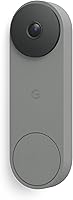
Ring vs Nest Doorbell: Which Is Better? (October 2026)
For Ring vs Nest doorbell, choose Ring for zoom and motion detection choices, or Nest for Google Home features. All 3 models need wired power, so check installation needs and paid features before choosing.
On this page (9 sections)
- Ring vs Nest doorbell: what should drive your choice?
- Which model suits your entrance, and who should skip it?
- Which camera view will help at your front door?
- What should you expect after dark?
- How do Ring and Nest motion alerts compare?
- Do you need a subscription for the features you want?
- Will Ring or Nest fit your existing wiring?
- How should you set up and care for your doorbell?
- Which Ring vs Nest doorbell should you choose?
In this Ring vs Nest doorbell comparison, choose Ring for zoom and motion detection choices, or Nest if Google Home already shapes your daily routine. The best fit starts with your entrance and the alerts you will act on.
The Ring Wired Doorbell 4K Pro suits buyers who need more detail and motion controls. The Ring Wired Doorbell 2K Plus covers routine arrivals, while the Google Nest Doorbell Wired (3rd Gen) suits households that want Google Home features.
All 3 need wired power. Check your electrical setup and the paid features you want before committing to a brand.


Ring vs Nest doorbell: what should drive your choice?
Choose around your main doorway task, then compare camera features. Greeting someone a few feet away is a different job from checking activity farther along a path.
For a close front step, framing and useful alerts may matter more than extra resolution. For a longer approach, the ability to inspect a smaller part of the image gives you a stronger reason to consider the Pro.
Your phone routine matters too. A doorbell should make it easy to notice and respond to visitors without sending you into an app you rarely use.
Start with 3 questions: where will visitors stand, what activity deserves an alert, and will you pay for advanced descriptions? Those answers narrow the choice faster than comparing every feature.
Ring vs Nest doorbell for smart home routines
Nest fits households already using Google Home, while Ring deserves a closer look if its camera and motion features match your needs. Don't switch systems just for a feature you might rarely use.
Think about who will handle alerts during the day. If several people share responsibility for the front door, agree on the account setup and notification routine before installation.
If you're still deciding what kind of doorbell you need, our best video doorbells for your front door guide covers the wider category.
Which model suits your entrance, and who should skip it?
Pick the Pro for detail and motion priorities, the 2K Plus for routine arrivals, or Nest for a Google Home household. Each has a clear buyer, but none solves a poor mounting position or unsuitable wiring.
Ring Wired Doorbell 4K Pro: for activity beyond the doorstep
The Pro combines Retinal 4K video, up to 10x Enhanced Zoom and 3D Motion Detection. Ring says its motion system pinpoints activity on your property for more precise alerts and fewer interruptions.
That combination suits an entrance where you want to inspect activity along the approach as well as at the door. It also makes sense if passing movement creates a strong need to refine alerts.
Live View and Two-Way Talk with Audio+ let you see, hear and speak to visitors from your phone. Plan around moments when that helps, such as answering a delivery while you're elsewhere in the home.
Skip the Pro if your main goal is simply noticing someone at a small, close entrance. Its extra detail is a weaker reason to buy when your daily task is straightforward and you won't use the zoom.
Ring Wired Doorbell 2K Plus: for everyday doorstep activity
The 2K Plus offers Retinal 2K video and mobile motion alerts through a hardwire connection to an existing doorbell system. It's the Ring to consider when routine arrivals matter more than the Pro's added features.
For choosing between these models, Ring's feature details specify up to 4x Enhanced Zoom. If the precise zoom range determines your choice, confirm that detail for the exact model before ordering.
Choose it when you want a wired camera for the front step and don't have a clear need for the Pro's motion system. Ring notes that video quality can vary with internet bandwidth and device temperature.
Skip it if 3D Motion Detection is central to your plan. Also avoid choosing it solely because you already have doorbell wires, since electrical compatibility still needs checking.
Google Nest Doorbell Wired: for Google Home households
Nest pairs 2K HDR video with a 166° field of view and Google Home features. It suits buyers who want their doorbell to fit a system they already use.
Its wired design removes battery recharging from your routine. The included mounting parts contain a base plate and wedge, though you still need to plan the angle around your entrance.
Skip Nest if Gemini features are your main attraction and you don't want the required subscription. Buyers focused on enhanced zoom have a clearer reason to choose one of the Ring options.
Which camera view will help at your front door?
Frame the visitor and package area first, then weigh resolution and zoom. A sharp image aimed at the wrong part of the entrance won't answer your main question.
Stand where a visitor would wait and note where deliveries usually land. Check whether railings, a deep door recess or an outward-opening screen door could block either area.
Field of view describes how much fits into the frame, while zoom helps you inspect a portion of that frame. Neither guarantees a clear view of objects hidden behind a wall or below an awkward mounting point.
Nest's stated viewing angle doesn't establish that it covers more than either Ring model. Both Rings have wide-angle video, but there isn't a matching angle here for a direct numerical comparison.
HDR is worth considering when an entrance has strong differences between bright and shaded areas. As a general camera principle, it helps manage that contrast, though your mounting angle and lighting still matter.
Avoid buying purely for the largest resolution number. Decide whether your real problem is seeing fine detail, fitting the doorway into the image or getting a useful view after dark.
What should you expect after dark?
Check the light at your entrance before choosing based on night video. Both Ring models use Low-Light Sight for color with some ambient light, then switch to black-and-white in total darkness.
Nest includes night vision. That gives it an after-dark viewing option, but doesn't support a direct claim that it beats either Ring at your particular doorway.
For any doorbell camera, keep nearby lights from shining straight into the lens. A reflective wall or object close to the camera can also affect the picture.
Review the view with your normal porch lighting switched on and off. Make any angle changes while you can still work safely in daylight.
How do Ring and Nest motion alerts compare?
Ring separates its models by motion detection features, while Nest adds richer descriptions through a paid plan. Choose the information that would change what you do next.
The Ring 2K Plus sends mobile alerts when its camera senses activity. The Pro's more focused motion system is the reason to consider stepping up when interruptions are a concern.
Nest's Google Home Premium Advanced plan can provide notifications such as “Person with flowers,” along with more detailed descriptions and summaries. Gemini features require Google Home Premium.
A detailed notification helps most when you can't open a video immediately. If you usually check the camera as soon as your phone alerts, the extra description may play a smaller role.
After setup, adjust the available alert controls in small steps and review a normal day of activity. Make sure expected visitors still trigger the alerts you need before reducing sensitivity further.
Alerts and recording are separate buying questions. If saved footage matters, read whether Ring doorbells record all the time before deciding what behavior you expect.
Do you need a subscription for the features you want?
Budget for the plan that supports your must-have feature, rather than treating every advertised capability as included. Separate basic doorbell use from descriptions, summaries and other advanced tools.
Ring Video Descriptions need a compatible Ring subscription and are unavailable on Ring devices in Illinois. Illinois buyers should leave that feature out of their decision.
For Nest, distinguish Google Home Premium from its Advanced subscription. The more detailed notifications and summaries described above depend on the Advanced tier.
Write down the 2 or 3 features that justify buying the camera. Then check which plan supports each one and whether the ongoing commitment suits your household.
Don't assume that wired power means continuous recording or that a smart alert includes saved video history. Check recording access, retention and account terms separately before choosing.
Our guide to whether a Ring doorbell needs a subscription covers the Ring side. If avoiding an ongoing plan is a firm requirement, compare the no-subscription doorbell options too.
Will Ring or Nest fit your existing wiring?
All 3 need compatible wired power, so confirm the exact model's electrical and chime requirements before ordering. Existing wires are a starting point, not proof that installation will be a direct swap.
Find the transformer information and identify your indoor chime. Compare both with the installation instructions, and get an electrician's help if you can't safely identify the system.
Also check the mounting space beside your door. Narrow trim, rough masonry and a recessed entrance can change where the camera fits and what it sees.
Check your home network at the mounting spot rather than only inside the house. The exterior wall and distance from your router can affect the connection available at the door.
Turn off power at the correct breaker before working on wiring. Follow the model's instructions for connectors, mounting and any chime work, rather than copying steps from a different doorbell.
For the full process, see how to install a video doorbell. Our wired versus battery video doorbells guide helps if the electrical work changes your choice.
You can also compare wired video doorbells and the best wired video doorbell options before settling on one of these models.
How should you set up and care for your doorbell?
Start with framing, account security and a simple alert routine. Those steps make the camera more useful after the hardware is mounted.
Have someone stand at the normal visitor position while you check the image. Look for a face near the top of the frame and the delivery area near the bottom, without pointing unnecessarily toward neighboring doors or windows.
Use a strong, unique account password and enable the security options available to you. Nest supports encrypted video and two-step verification through your Google Account, and its green LED signals video processing or streaming.
Check phone notification permissions and decide who will respond to visitors. Too many overlapping alerts can make it harder to notice the one that needs attention.
Keep the lens clear using the care method in the instructions. Dust, water marks and spiderwebs can affect the image, so include a quick visual check in your normal porch cleanup.
Revisit the view when you move planters, add seasonal decorations or change porch lighting. Small changes around the camera can block the scene even when the device itself hasn't moved.
Which Ring vs Nest doorbell should you choose?
Choose the Ring 4K Pro when detail and motion control solve a clear problem at your entrance. Choose the Ring 2K Plus when your needs center on routine arrivals and the Pro's extras wouldn't change your daily use.
Pick Nest when Google Home is already part of your household routine and you accept the plan needed for your preferred smart features. Our Google Nest Doorbell Wired review helps you examine that choice more closely.
Pause before buying any of these if you can't confirm wiring compatibility or get a useful camera angle. Solving those limits first gives you a better basis for choosing between brands.
For Ring vs Nest doorbell buyers still considering another system, Ring vs Blink is a useful next comparison. Make the final choice around one clear task your current doorbell can't handle, then select the model and plan that address it.
Frequently asked questions
Is Ring or Nest better for a wired doorbell?
Ring is the stronger fit for buyers who want enhanced zoom and a choice of motion detection features, while Nest suits Google Home households. Choose around the task you need help with, such as inspecting activity farther from the door or receiving more detailed descriptions through a paid plan.
Do Ring and Nest wired doorbells need batteries?
All 3 models here use wired power, and the wired Nest needs no battery recharging or replacement. Before ordering, compare the exact model's electrical and chime requirements with your existing system, since having wires at the door does not mean every wired doorbell will fit without changes.
Do Ring and Nest doorbells require a subscription?
Some advanced features need a subscription: Ring Video Descriptions require a compatible plan and are unavailable in Illinois. Nest's Gemini features require Google Home Premium, while more detailed notifications and summaries require its Advanced plan, so choose your plan around the features you expect to use.
Which wired doorbell has the wider view?
Nest has a stated 166° field of view, while both Ring models offer wide-angle video without a matching angle provided here. That means there is no supported numerical winner between brands, so check the actual doorway coverage you need, including the visitor position and the area where packages usually sit.
Does the Ring 4K Pro have better video than the Nest?
The Ring 4K Pro has higher resolution than Nest, making it the clearer choice when resolution and enhanced zoom lead your priorities. Nest adds HDR, so also weigh your entrance's lighting and framing rather than choosing only by pixel count, especially when visitors stand against a bright background.